At the end of every month, the HR officer pulls attendance records from the fingerprint device, copies them into a spreadsheet, and goes over them with the accountant before payroll can start. Add a second branch, or a team that works outside the office, and the effort doubles. That is why companies look for an attendance system that works from the phone, remembers where each check-in happened, and connects directly to leave and payroll. In this article we explain how that works in Subra.
Why a fingerprint device alone is not enough
A fingerprint device serves one office door, and its limits show quickly:
- Several branches: every branch needs its own device, maintenance and connection to the system.
- Work outside the office: sales reps and remote staff never pass by the device.
- Manual transfers: recorded minutes turn into spreadsheets that are reviewed and corrected before they reach payroll.
- Human error: one forgotten line or one mistyped number can change someone's salary.
How online attendance works in Subra
Online attendance is an add-on in the attendance module that lets people check in from a phone or a browser, with no fingerprint hardware. It is built on a few clear principles:
- Location on every check-in: it is saved with each clock-in and clock-out.
- A boundary for each branch: every branch gets a location and a radius in metres, and anyone outside it cannot check in.
- Phone biometrics: employees confirm their identity with face or fingerprint on their own phone, so nobody can clock in for a colleague from another device.
- Remote work and field teams: they can check in from anywhere, and their location is saved each time.
Employees clock in with one tap from self-service, a portal on their phone that installs like an app, so there is no separate program to learn.
The map, shifts and exceptions
Managers see every check-in and check-out for the day on the attendance map, with a link for each point. The add-on supports shifts, late arrivals and exceptions, and exceptions go through an approval cycle, so an attendance record never changes without a manager's sign-off.
Attendance is part of HR, not a separate tool
Here is a real screen from the demo system. Every name in it is demo data:
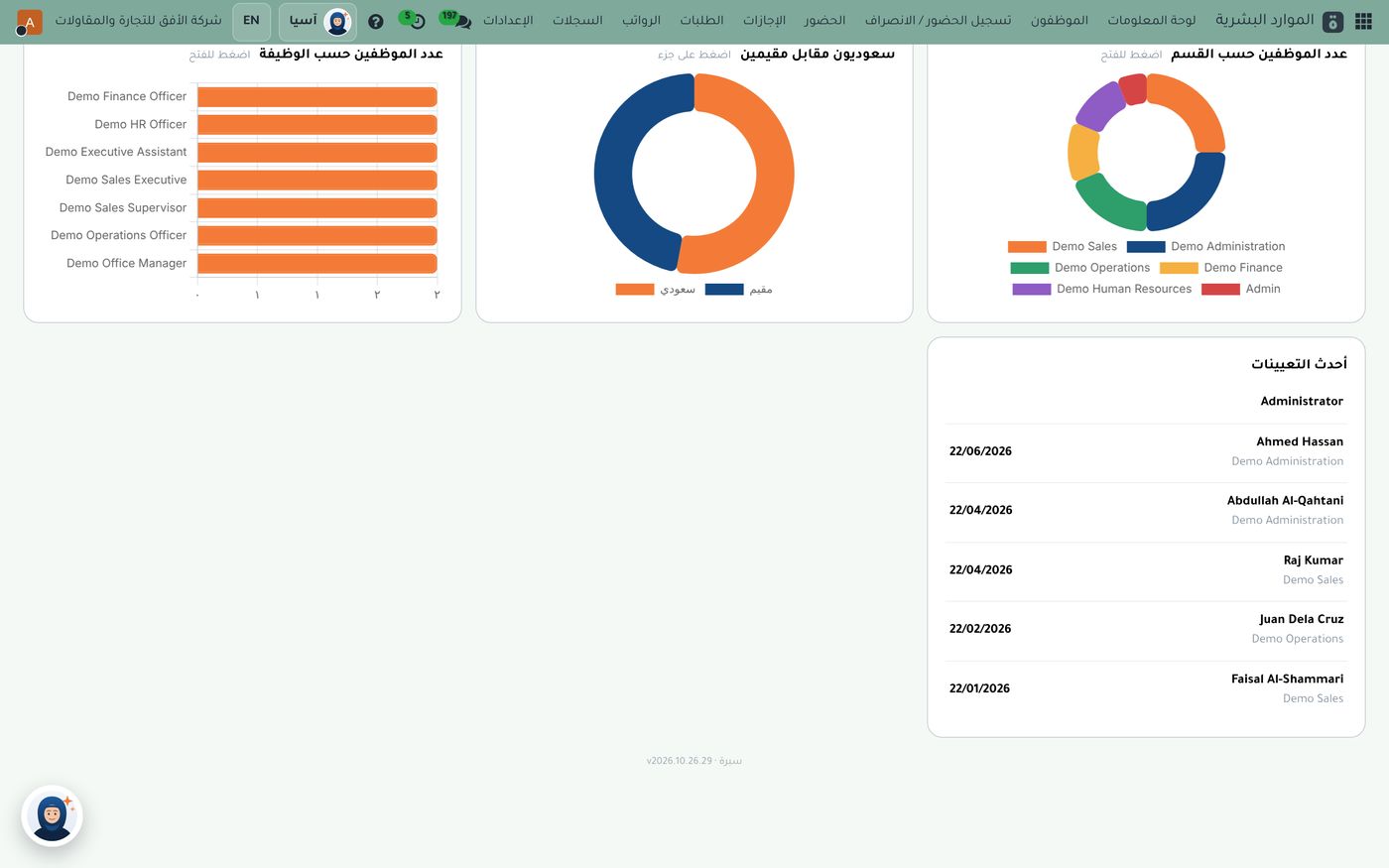
The bar at the top of the screen includes "Attendance check-in" and "Attendance" next to "Leave", "Requests" and "Payroll". In other words, attendance is a section of the same HR system that holds the employee file, not a separate app you export data from. Below the bar you can see headcount by job title and department, the Saudi and resident split, and the latest hires. We covered this dashboard in our article on tracking Saudization and employee documents.
From attendance to payroll
The real management gain is that attendance and payroll live in one environment. Employee data is never re-entered between two programs, and the accountant sees the same employee in the same file. Payroll in Subra covers payroll runs, advances and salary items with their accounting entries, along with Saudi requirements such as social insurance, end-of-service, wage protection and overtime.
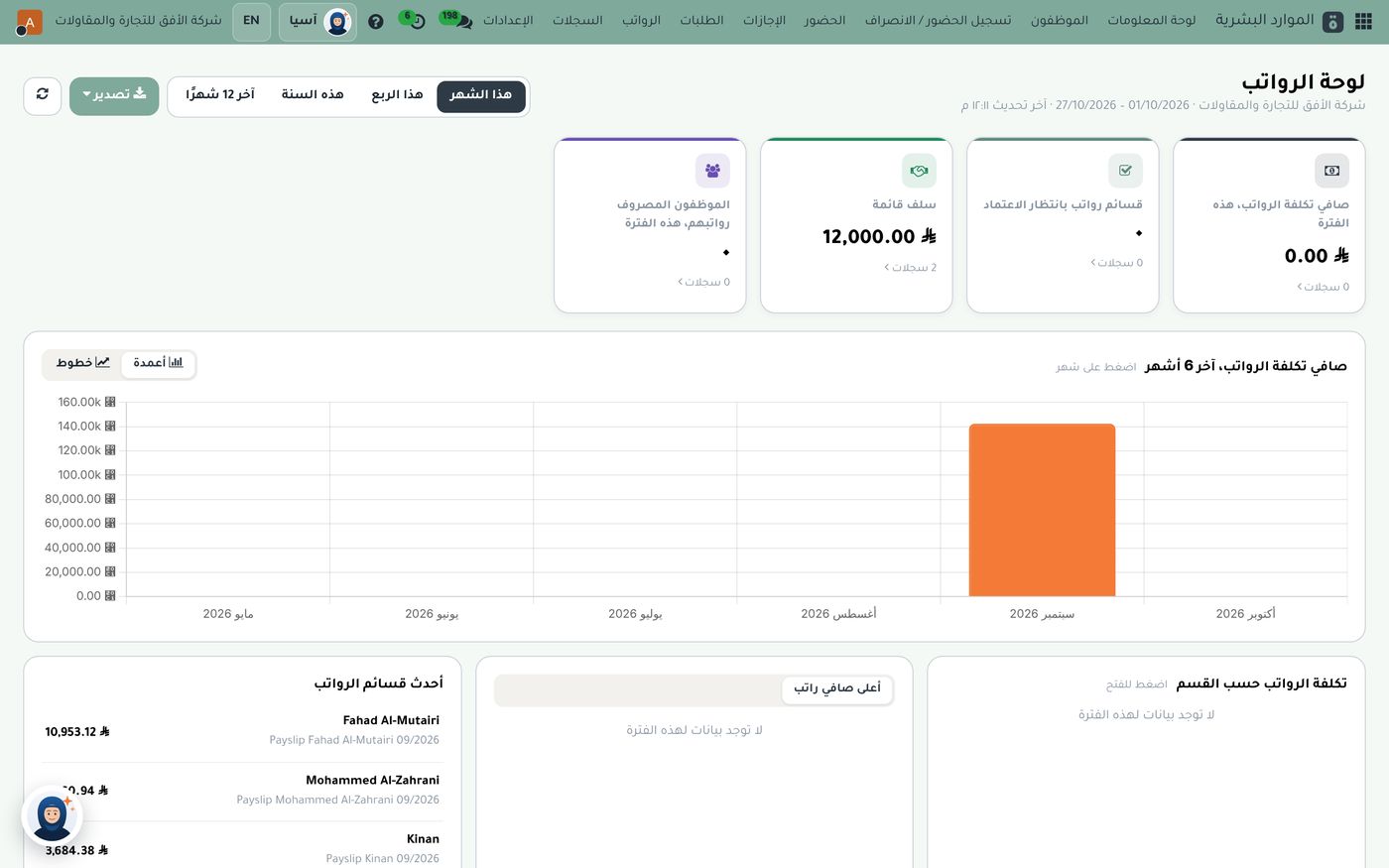
This screen shows cards for net payroll cost, outstanding advances and payslips awaiting approval, a bar chart for the last six months and a list of the latest payslips. For more on the payroll run itself, see our article on a payroll system for Saudi Arabia. If you need exact regulatory detail for a specific case, check with the relevant official authority: the system makes follow-up easier, but it does not replace knowing the rules.
How to get started
Rolling out online attendance takes a few simple steps:
- Define work locations: enter each branch with its location and radius in metres.
- Set up shifts: define working hours for each team and how late arrivals are handled.
- Approve an exceptions cycle: decide who signs off on changes to an attendance record.
- Train the team: employees only need to open the self-service portal and check in with biometrics.
- Check the map daily: review check-in points before small issues pile up.
You can also use Asia, a private AI assistant for your business, to answer your team's questions about these screens.
Summary
When attendance is recorded from the phone by location and biometrics, and flows straight into leave and payroll in the same system, manual transfers disappear, errors drop and closing the month gets easier. If you would like to see attendance and payroll on demo data, the Role8 team will be glad to show you.
Try HR and payroll in Subra
Try Subra with demo data, or contact us and we'll set up the system for you.